Select Page
Announcements

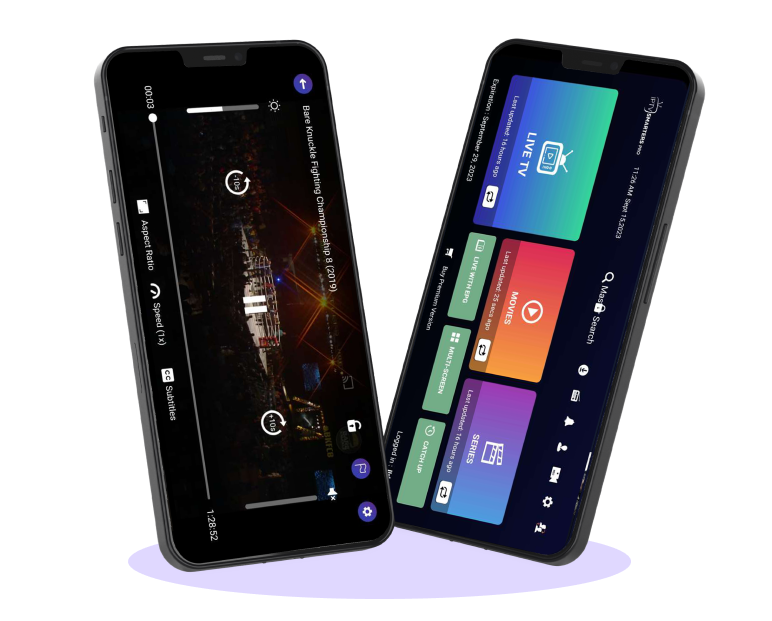
IPTV Smarters Pro is an advanced feature-rich online video player that delivers a smooth and high-quality viewing experience across multiple devices. IPTV Smarters Pro is best media player designed for lag-free usability, it supports a wide range of file formats, including M3U and JSON playlists, enabling end users to play their favourite media content from both local storage and remote sources. Whether for live streaming, video-on-demand, or audio playback, IPTV Smarters Pro media player provides a reliable, high-performance media playback with bufferfree experience without any hassle.
Following is a comprehensive list of the devices supported by IPTV Smarters Pro.

Android phones, Android TV, Android TV boxes, Android Fire TV sticks, Nvidia Shields, and other Android sticks or devices.

Windows 8/10 and all versions of macOS, including the latest versions.

IPTV Smarters ProNow available with the name “Smarters Player Lite” on App Stores and supports iPhone, iPad and Apple TV (tvOS).

Smart TVs like LG & Samsung (App available in the store to download).

User-Friendly Interface – Modern design for bufferfree media playback
Multiple Playlist Formats – it Supports M3U, JSON, and other file formats( Video & Audio)
High-Quality Playback – Enjoy smooth streaming with advanced video codecs (HD & 4K)
Multi Cross-Platform Support – Available on Android, iOS,Smart TV’s , Windows, macOS, and Web
Personalized Experience – Customize settings for an excellent viewing experience











Download URL: https://www.smartersott.app/smarters-4.0.2.apk






https://www.smartersott.app/smarters-4.0.1.apk
Download URL: https://www.smartersott.app/smarters-4.0.1.apk
https://www.smartersott.app/smarters4-0.apk
Download URL: https://www.smartersott.app/smarters4-0.apk
Download URL: https://www.smartersott.app/smarters4-0.apk
https://www.smartersott.app/smarters.apk
Download URL: https://www.smartersott.app/smarters.apk
Note: For iOS :You have to download the Application from the apple store and buy premium from in-app purchase
For Smart TV : It’s free IPTV Player for end-users.
IPTV Smarters Pro is an IPTV Player to watch all your go to IPTV content. IPTV stands for Internet Protocol Television, which means delivering TV content over the internet rather than through traditional Satellites or cable TV formats. Here’s a more detailed look at IPTV Smarters Pro:
YOU HEREBY AGREE TO TERMS HERE OTHERWISE DO NOT USE THE IPTV SMARTERS PRO APP.
1. User-Friendly Interface : IPTV Smarters Pro is known for its intuitive and easy-to-navigate interface, which makes it simple for users to find and stream their desired content.
2. Support for Multiple IPTV Formats : It supports various IPTV formats such as M3U, M3U8, and XSPF, allowing users to import playlists from different IPTV service providers.
3. Electronic Program Guide (EPG) : The app includes EPG support, which provides a schedule of upcoming TV programs, helping users to plan their viewing.
4. Multi-Screen Viewing : IPTV Smarters Pro allows users to stream different channels on multiple devices simultaneously, making it a good option for households with multiple viewers.
5. Video on Demand (VOD) : Users can access VOD content, including movies and TV shows, allowing them to watch what they want, when they want.
6. Catch-Up TV : The app offers catch-up TV functionality, so users can watch programs that they missed.
7.Parental Controls : Built-in parental controls enable parents to restrict access to certain channels and content, ensuring a safe viewing experience for children.
8. External Player Integration : It supports integration with external media players, giving users flexibility in their viewing options.
9. User Account Management : IPTV Smarters Pro supports multiple user profiles, making it suitable for families or shared households.
10. Compatibility : The app is compatible with a wide range of devices, including Android and iOS smartphones and tablets, Windows and Mac computers, and even some Smart TVs and streaming devices.
1.Download and Install : Install IPTV Smarters Pro from your device’s app store (Google Play Store, Apple App Store, etc.).
2. Set Up : Open the app and log in using the credentials provided by your IPTV service provider. This typically includes a username, password, and a server URL.
3.Import Playlist : Import your IPTV playlist (M3U, M3U8, etc.) provided by your IPTV service provider.
4. Browse and Stream : Navigate through the interface to browse live TV channels, VOD content, and catch-up TV options. Select the content you want to watch and start streaming.
Legal Considerations
While IPTV Smarters Pro itself is a legitimate app, the legality of the content you access through it depends on your IPTV service provider. Always ensure that you are using a legal and authorized IPTV service to avoid potential legal issues.
If you have any more specific questions or need further assistance with IPTV Smarters Pro, feel free to ask!
It plays the m3u8 playlist, content from the web URL, and Local audio/ video files.

Checkout
Compatible with Android TV, iPhone, iPad, Apple TV and Web Browsers

YOU HEREBY AGREE TO TERMS HERE OTHERWISE DO NOT USE THE APP.
IPTV Smarters Pro is an advanced player that uses M3U and JSON user-added playlists.
We do not provide any actual playlists or contents.
This application is designed to use with the user’s own or added playlist with legal contents.
You are responsible to check your added playlists/contents are legal and you have full rights to use and/or RECORD contents.
We are not responsible for misuse of copyright or third party contents using our software and please check your contents are legal and/or you have rights to use and/or RECORD.
By using our application means you accept the above terms and conditions

Users must provide their own contents
We strictly do not endorse the streaming of copyright-protected material without permission of the copyright holder
IPTV Smarters is an incredible video streaming player which is developed especially for end-users that want to be provided with the facility to watch live TV, VOD, Series and TV Catchup on their Smart TV. This video player app is easy to use and yet highly efficient with a powerful player, attractive and very impressive layout and most importantly user-friendly.
Step 1: Access the Source
Press the Source button on your Samsung remote to get started.
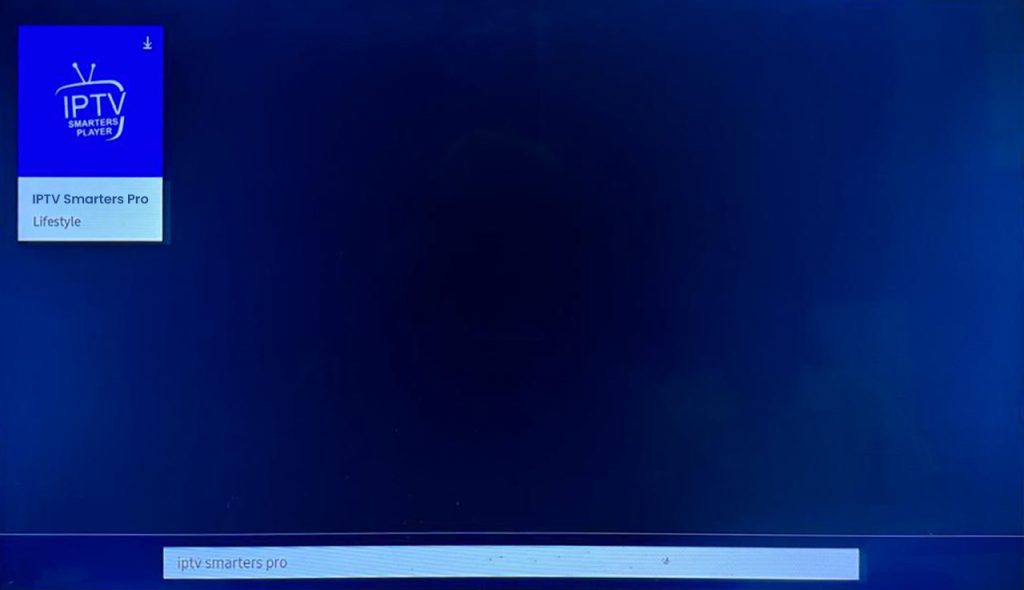
Step 2: Download IPTV Smarters Pro
Navigate to Search and type in IPTV Smarters Pro to download the app.
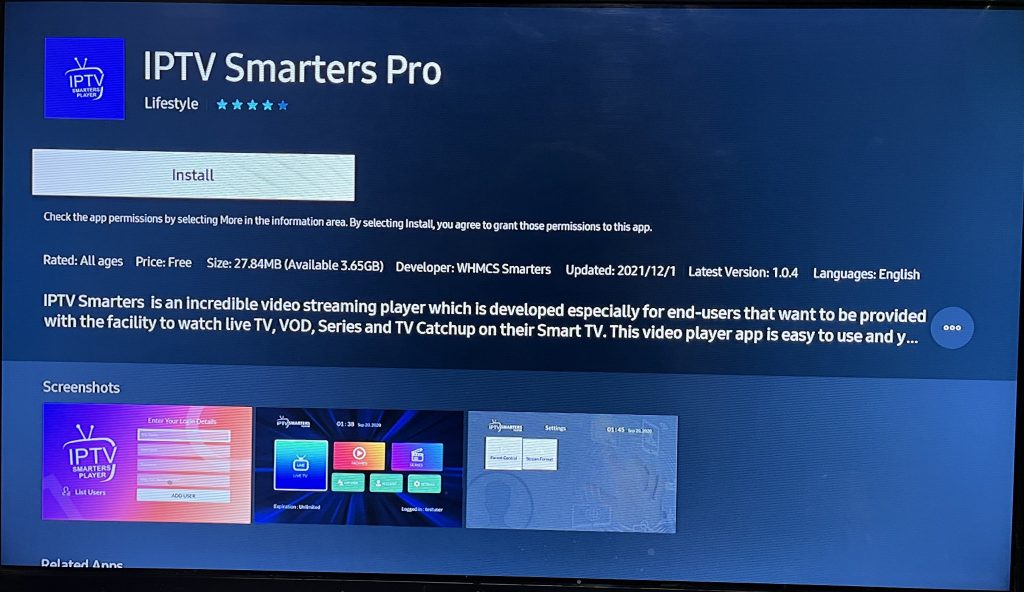
Step 3: Log In to the App
Open the application and log in using your subscription details: Username, Password, and Portal URL.
Important Note:
Ensure that your service provider has their DNS registered with us for optimal performance. More Info
Please be aware: The Premium Version features are not available for Samsung Smart TVs.
IPTV Smarters is an incredible video streaming player which is developed especially for end-users that want to be provided with the facility to watch live TV, VOD, Series and TV Catchup on their Smart TV. This video player app is easy to use and yet highly efficient with a powerful player, attractive and very impressive layout and most importantly user-friendly.
Step 1: Access the Home Menu
Press the Home button on your LG remote to begin.
Step 2: Open the LG Content Store
Navigate to the LG Content Store and open it.
Step 3: Download IPTV Smarters Pro
Select the Search button and type in IPTV Smarters Pro to download the app.
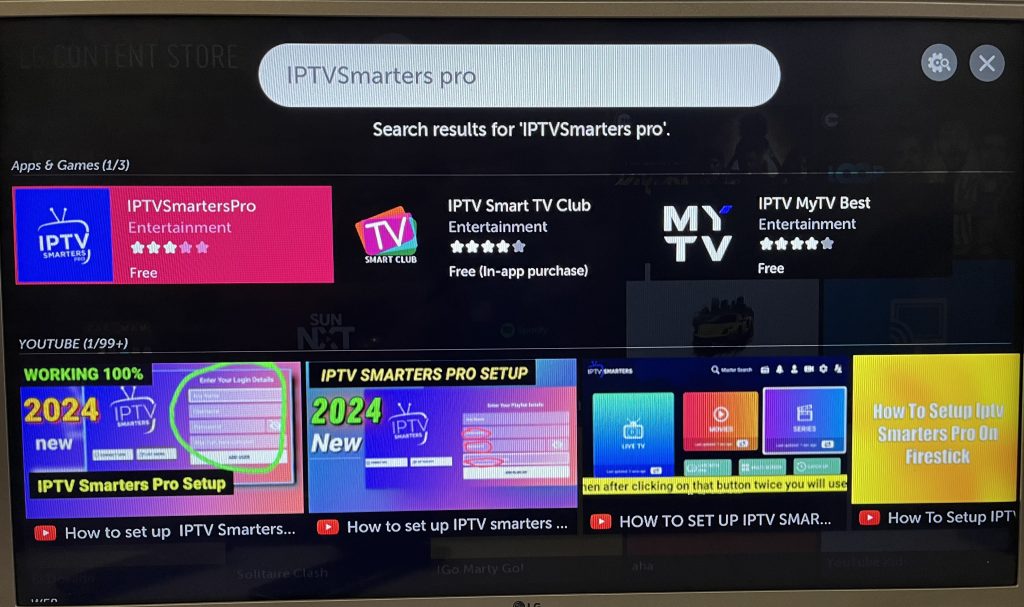
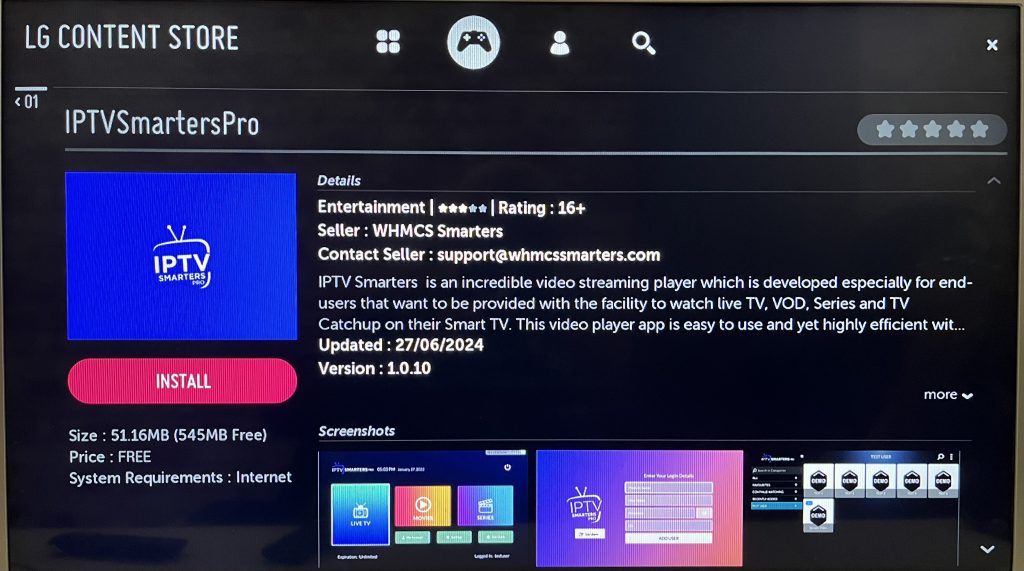
Step 4: Log In to the Application
Open the application and log in using your subscription details: Username, Password, and Portal URL.
Important Note:
Please ensure that your service provider has their DNS registered with us for optimal performance.More Info
Note: Premium version features are not available for LG Smart TVs.